How my automation agent went from 100 round-trips to zero
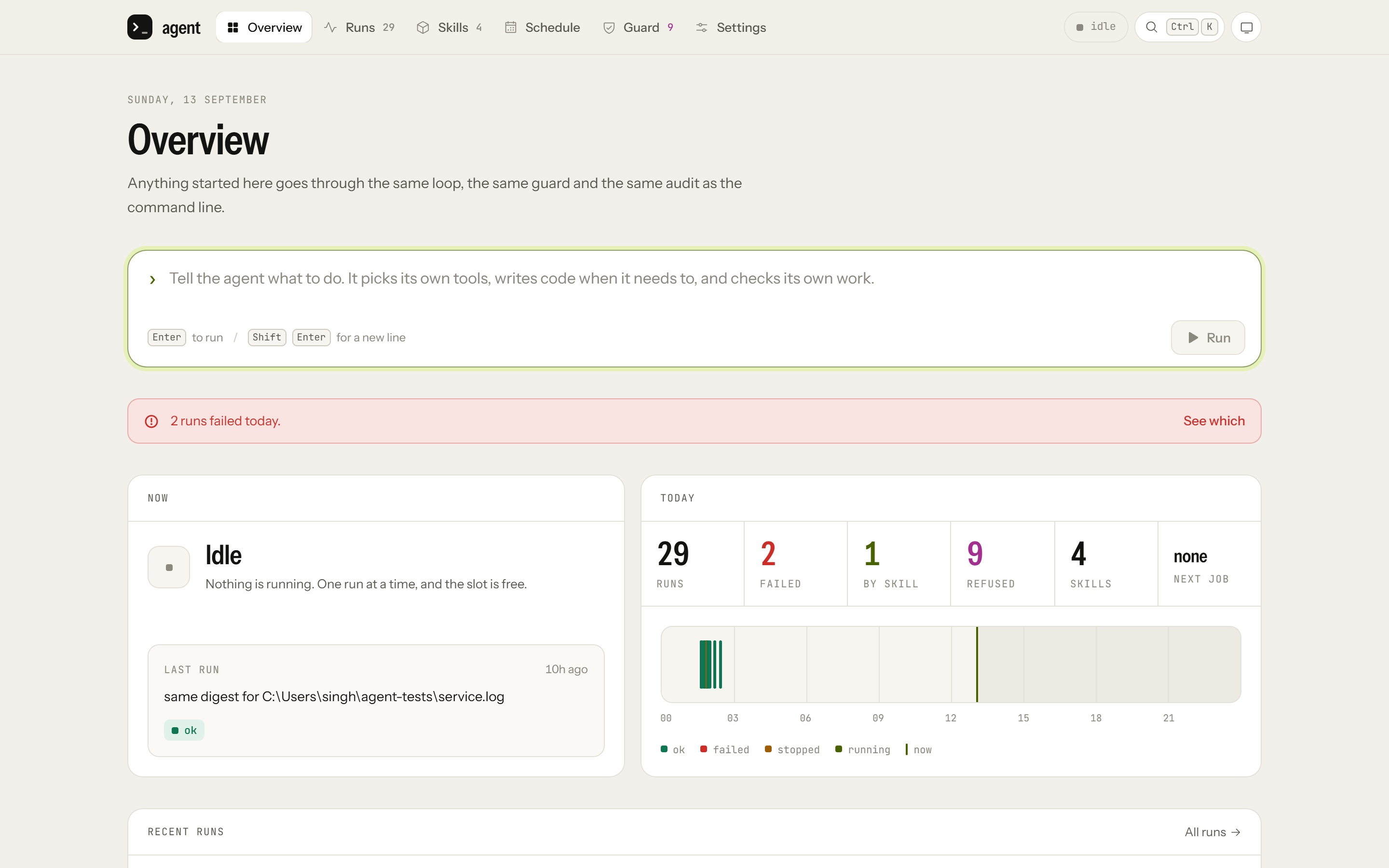
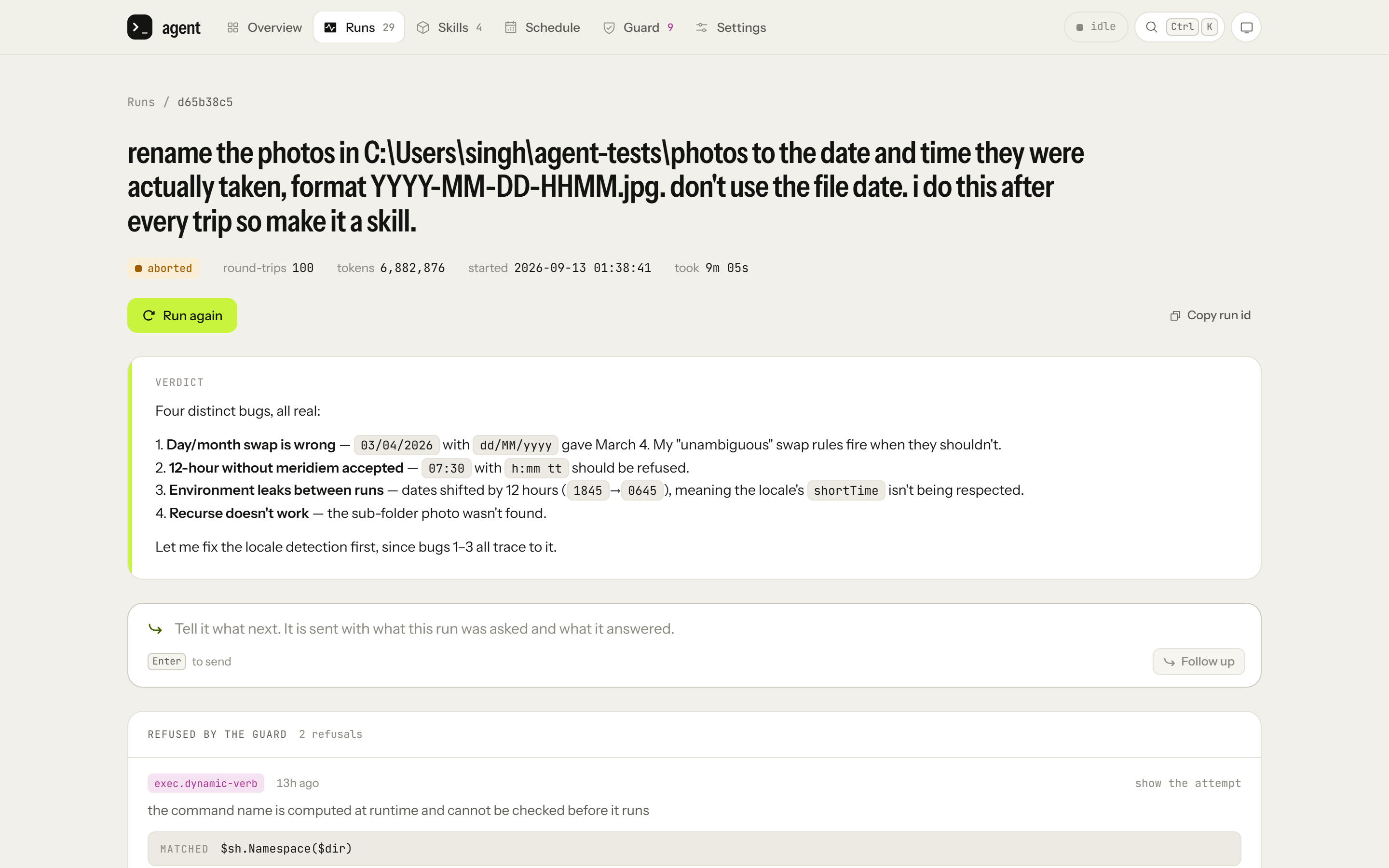
After every trip I rename my photos to the date and time they were taken, using the date stored inside each photo rather than the file's date. The first time I asked my agent to do it, it wrote a program, renamed the photos and checked its work. The check said every photo was dated correctly. Two of them were 12 hours off: a photo taken at 16:05 had been named 0405. The agent had read each time the way Windows displays it, as text formatted for my locale, instead of from the photo's own data, and the check it ran was built from those same wrong names, so of course it agreed with them.
It did work out the bug on its own. Then, halfway through fixing it, it hit my limit of 100 steps and stopped, with those two photos still wrong.
The next run, on a folder from a different camera, finished the skill, then ran out of steps too while it was still checking its work. After that, the same job on the first folder took under 2 seconds and zero round-trips to the model. The renaming itself took 9 milliseconds.
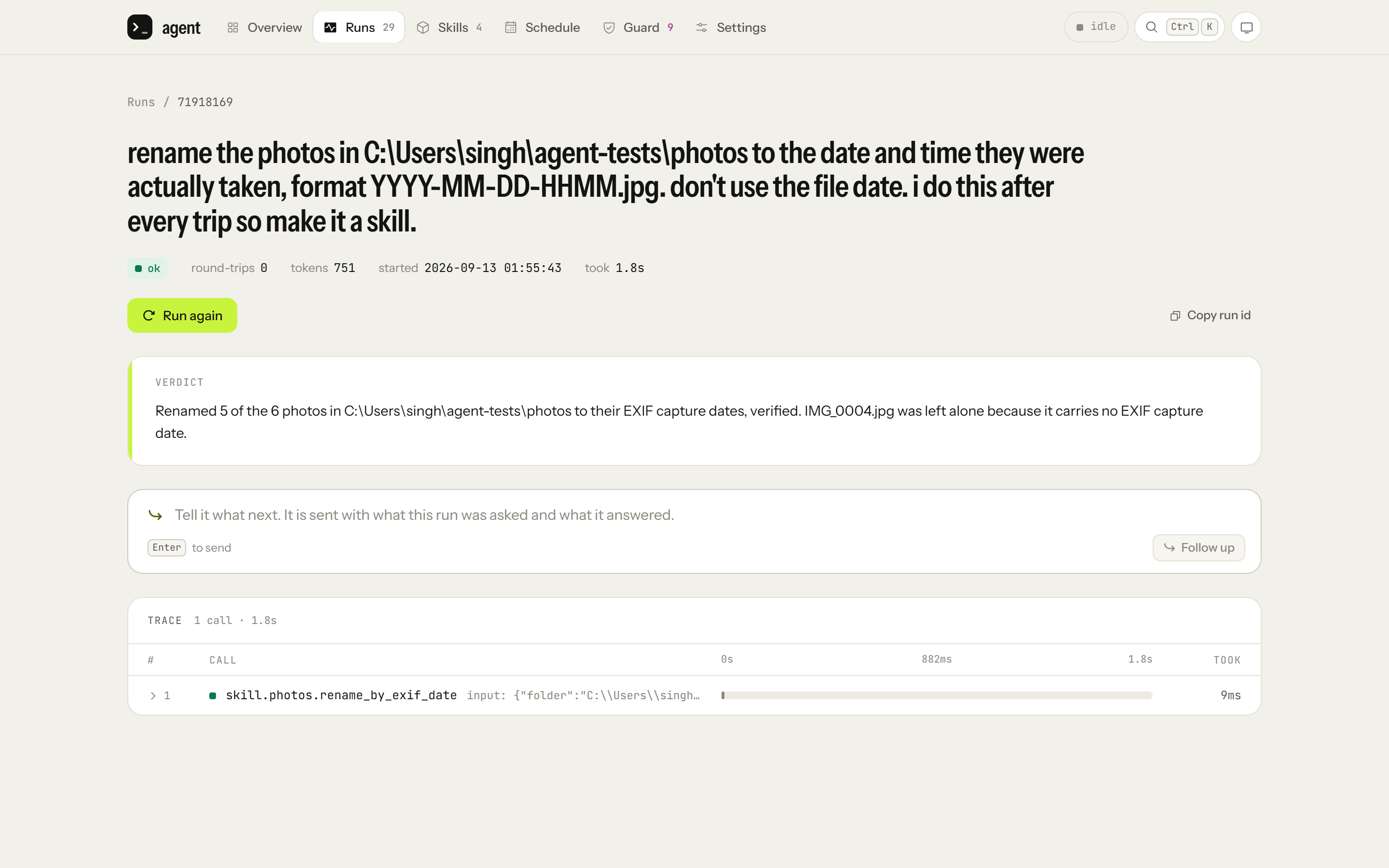
(The console calls each call to the model a round-trip. A run with zero round-trips still makes one short call, 751 tokens here, to write up the answer.)
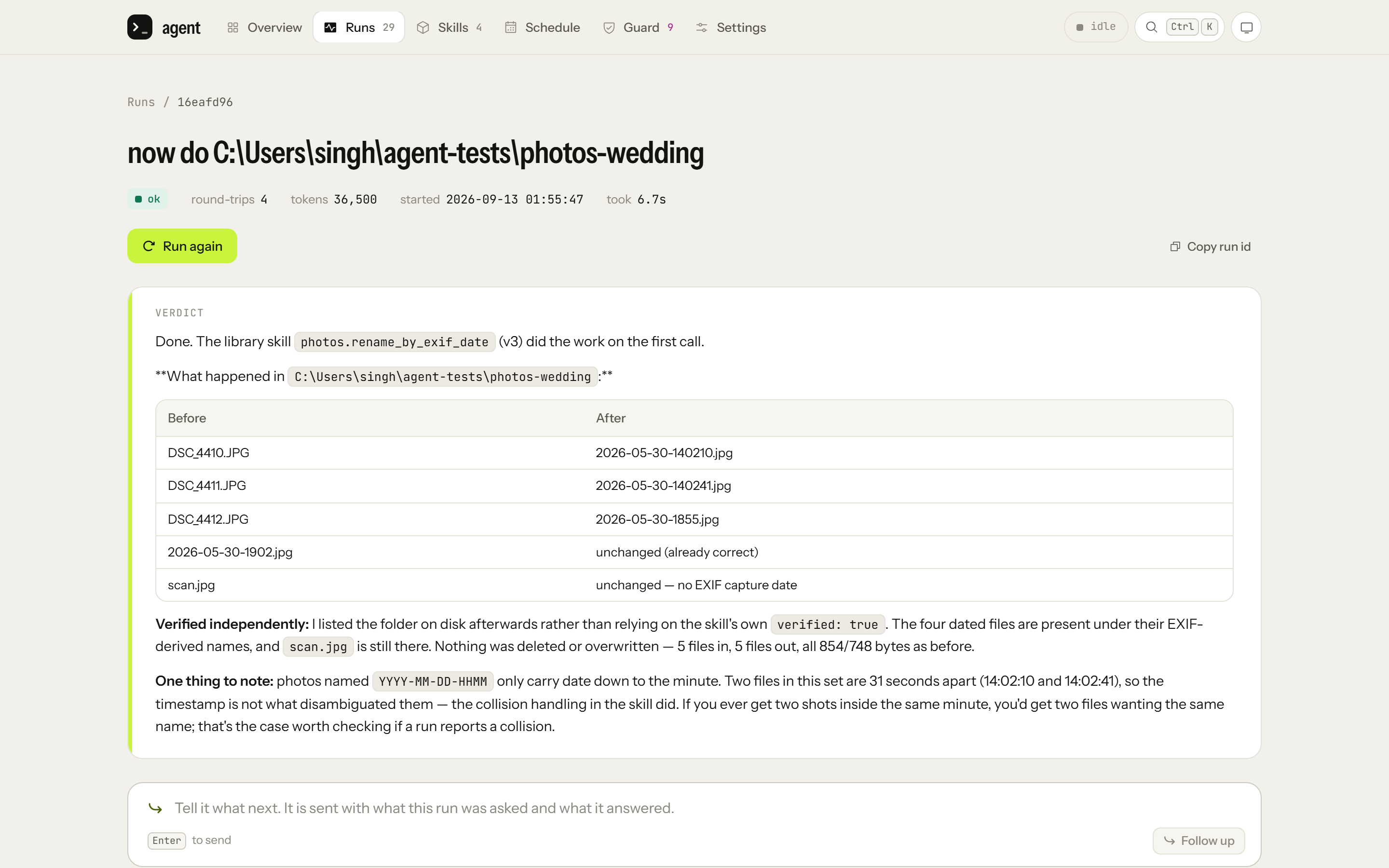
The folder from the other camera, which names its files in capitals and has two shots taken in the same minute, now takes 4 round-trips and 6.7 seconds.
Getting from that first run to these is what the whole project is about. Below is how it works, in the same order as my LinkedIn post, then the bug that taught me the most, then how it compares with Claude Code.
What it is
It's a personal automation agent that runs on my Windows machine. I give it a task in plain English, either from the command line or from a small web console, and it does the whole job: files, photos, web APIs, websites and desktop apps. It doesn't stop to ask me before each step. That was a deliberate choice, and it's why a lot of this post is about safety.
The core is small. There are six basic things it can do: run a command, write and run a program, call an HTTP API, drive a browser, drive a desktop app, and read or write files. None of that core code knows anything about specific tasks. Everything task-specific lives in skills the agent writes for itself.
Programs instead of clicks
Most of the time an agent spends is waiting on the model, not running tools. Before I settled on TypeScript, I measured how much a faster language would save end to end, and it was about 1%.
So the agent is pushed to write a program instead of doing things one step at a time. Moving 22 files into month folders should be one script, not 22 separate commands with a model call between each. Long tool output gets cut down before it goes back to the model (the full copy is kept in the audit log), and the start of every prompt stays the same between calls so the provider can cache it.
When it picks how to do something, it goes for the most predictable option available: an existing skill first, then a program, command or API call, then the browser, and only then a desktop app. In the browser it reads pages through the accessibility tree rather than screenshots, using a browser profile I sign in to myself. On the desktop it uses the keyboard and the accessibility tree first, then a real mouse pointer, and screenshots only as a last resort.
I also measured whether to turn on the model's reasoning mode. I ran 7 tasks in both modes, 3 times each, and checked every result by looking at the files afterwards rather than asking a model how it went. Both modes succeeded 95% of the time. With reasoning on, runs were 19% slower and used 62% more output tokens, so it stays off.
Skills
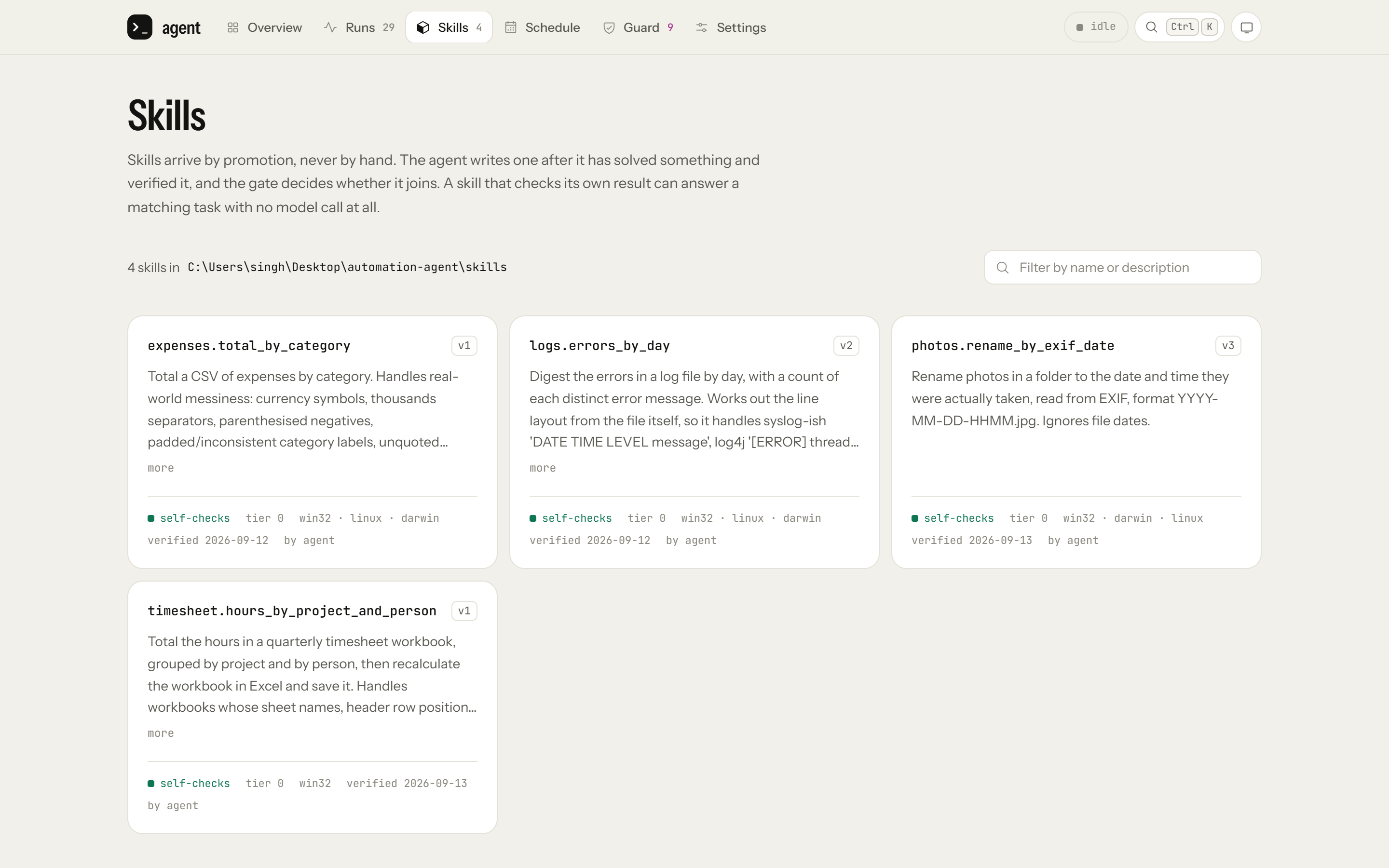
When a task is going to come back, like renaming photos after a trip, a monthly expense export or a morning log check, the agent saves its solution as a skill. I can ask for one, as I did with the photos, but it's also told to do this by itself for work that will recur, and to leave one-off questions alone. A skill is a versioned program with its own tests, and it's kept in the repository, so every new one shows up as a diff I can read.
That's why the photos were so quick the second time: the agent ran the skill instead of working the job out again. When a request matches a skill closely enough, the skill answers with zero round-trips, as it did for the first folder. For the other camera's folder, the model still spent 4 round-trips picking the skill and checking the result on disk.
Tests before a skill is kept
This is the risky part. A skill runs with no model around to question it, so if it's slightly wrong, it doesn't fail once. It gets the same data wrong every month and nobody notices. I think that's the biggest risk in the whole system, so a skill has to pass checks like these before it's saved:
A committed input file with a known-correct output.
Expected values worked out by a different method than the skill uses. Otherwise a test written by the same model that wrote the code can just agree with it.
Broken inputs: an empty file, a missing column, a malformed row, the wrong locale, negative numbers, unicode.
A second file of the same kind laid out differently, with a test named after what's different. This is the only real evidence that a skill handles that kind of task, not just the one file it was written for.
Running it twice gives the same result, and a failed run leaves the input untouched.
A verified run on real data, and the whole suite passing twice in a row.
The second check is exactly what the first photo run was missing: its check agreed with its mistake because both came from the same wrong reading. For the photo skill, the second example is the folder from the other camera.
The console can start a run that tries to create a skill, but there's no button that adds one directly. I didn't want a way around the tests.
One of the first skills totalled a bank export by category. The tests turned it down seven times before it passed, and each time the problem was real: quoted thousands separators, a negative refund row, and an ampersand in a category name.
It doesn't ask before each step
Since nothing waits for my approval, the checks sit in front of every action, and when in doubt they refuse:
There's a list of commands it won't run, like deleting a drive, force-pushing a protected branch or formatting a disk. When something is refused, it reports that instead of trying a different way to write the same command.
If a command's name is only known at runtime, it's refused, because it can't be checked beforehand.
Files are backed up before its file tools change them.
It can't delete its own audit log, memory or backups.
This isn't a sandbox and I don't treat it like one. For example, Python code the agent writes isn't checked against that command list. That's a known trade-off, not something I missed.
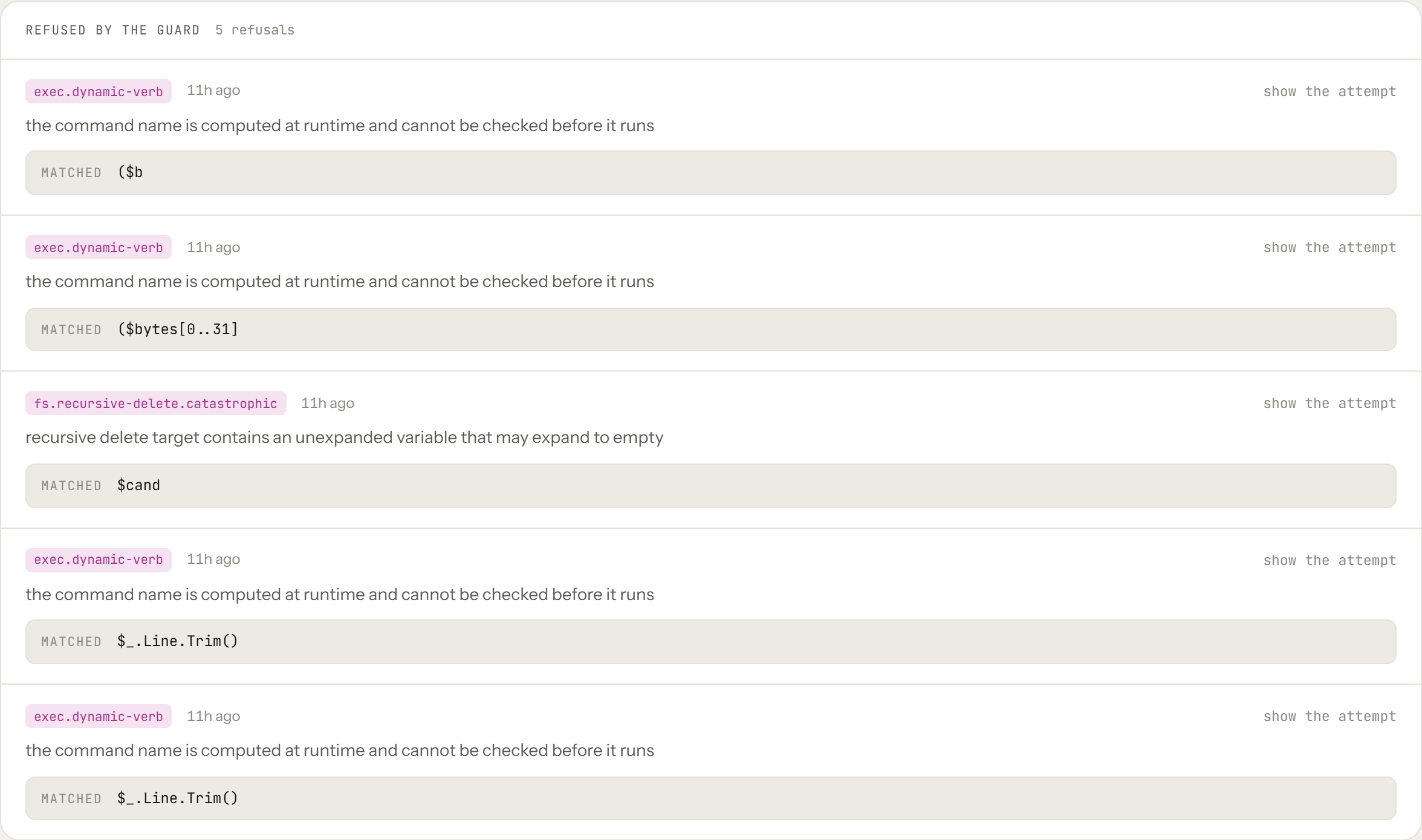
Those refusals came from the run that finished the photo skill. Four were ordinary scripts with an expression where the guard expects a command name, so it couldn't check them in advance. The fifth was a recursive delete of the skill's draft folder, with the folder's path in a variable the guard couldn't be sure wasn't empty.
The command list also had a hole. Remove-Item C:\* -Recurse -Force was refused, but Remove-Item -Path C:\ -Recurse -Force was allowed, and that's probably the most natural way to write the most destructive command on the machine. A Windows drive root ends in a backslash, the next character was a space, and the parser treated that backslash as escaping the space. The path became C: -Recurse, which didn't match any rule. The parser already read each command more than one way and refused it if any reading was dangerous, so the fix was to add one more reading with escapes turned off. I found this by poking at the rules before running my own "delete everything in C:" test, not by running it.
I also mutation-tested the guard. I wrote 19 small changes by hand, each removing one protection, to see whether the tests would notice. They missed four. One was a rule no test had ever reached, because a broader rule always caught those cases first. I tried an off-the-shelf mutation testing tool before that, but it reported working code as untested, so I couldn't use it.
Another lesson went the other way. At one point the desktop tools had no way to press a key, and a task needed one. So the agent wrote a script that loaded Windows UI Automation and sent the key from there, completely around the rule that it may only type into windows it opened. Taking the ability away didn't stop it. It just moved the action somewhere the guard couldn't see. Adding a proper key press (focus the field, check the focus actually landed, then press the key) brought it back under the guard and cut that run from 23 round-trips to 6.
That rule about windows came from a near miss. On Windows 11, opening a file with Notepad doesn't start a new Notepad. It adds a tab to the one that's already running, and mine had eight unsaved documents in it. Every check passed, and the agent would still have typed into my work. Now it can read any window, but it can only write to windows this run started.
The console
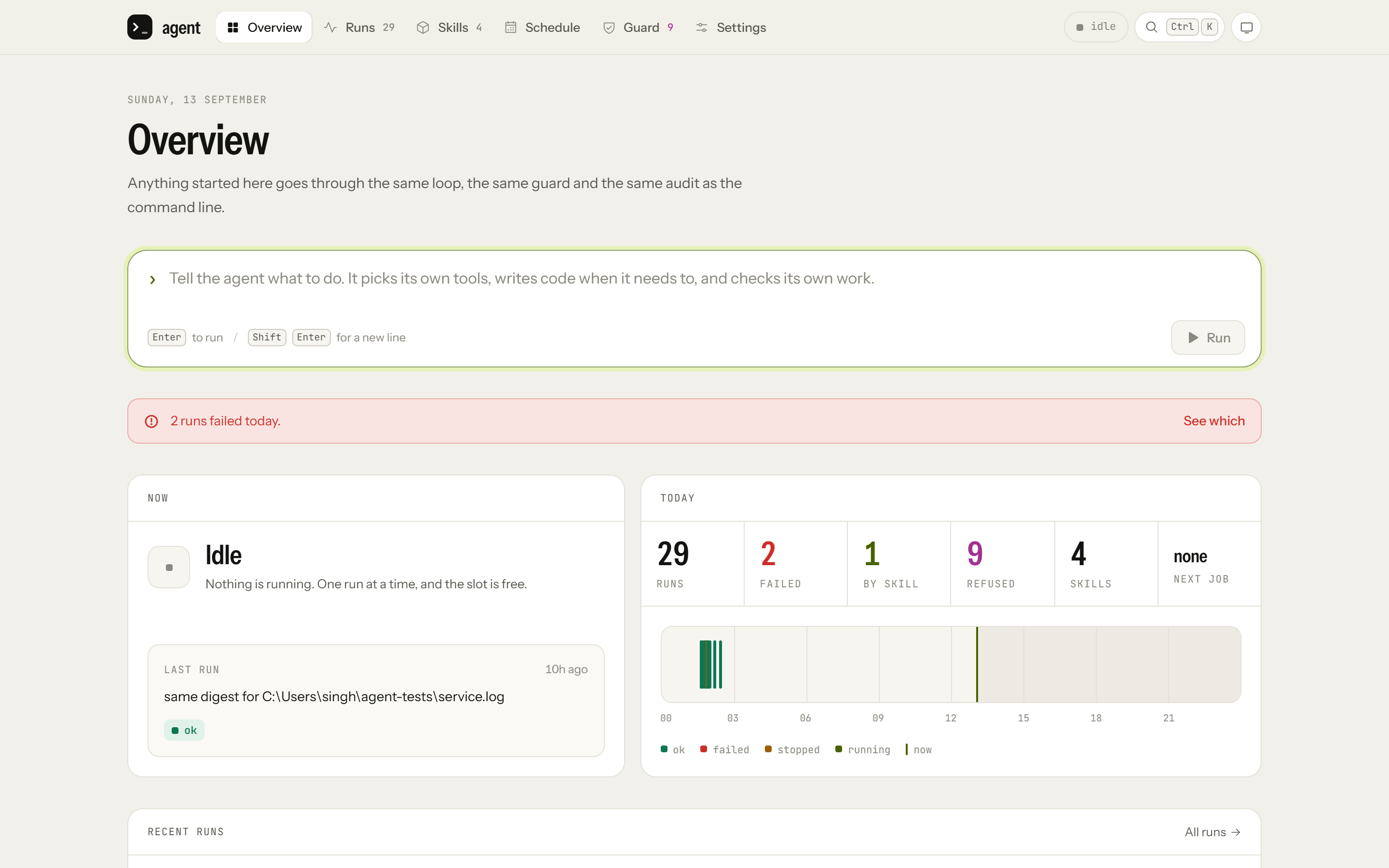
The console is a small React app that runs locally. It shows what's running now, anything that needs attention, what has run recently, and exactly what each run did, step by step. From it I can start, cancel, re-run and schedule work. It can't skip the tests or unlock guard rules, and the secrets vault stays on the command line. It only listens on localhost, and every action needs a header that a page from another site can't send.
Each run's page puts the agent's final answer above the status. I changed that after a run where I asked the agent to fix a file that didn't exist. It told me so clearly, but the page showed a green "ok" over eleven collapsed steps. The status only tells you the run finished without crashing, not whether it did what you asked.
It runs one task at a time, because there's only one desktop and one browser profile to share.
The bug that taught me the most
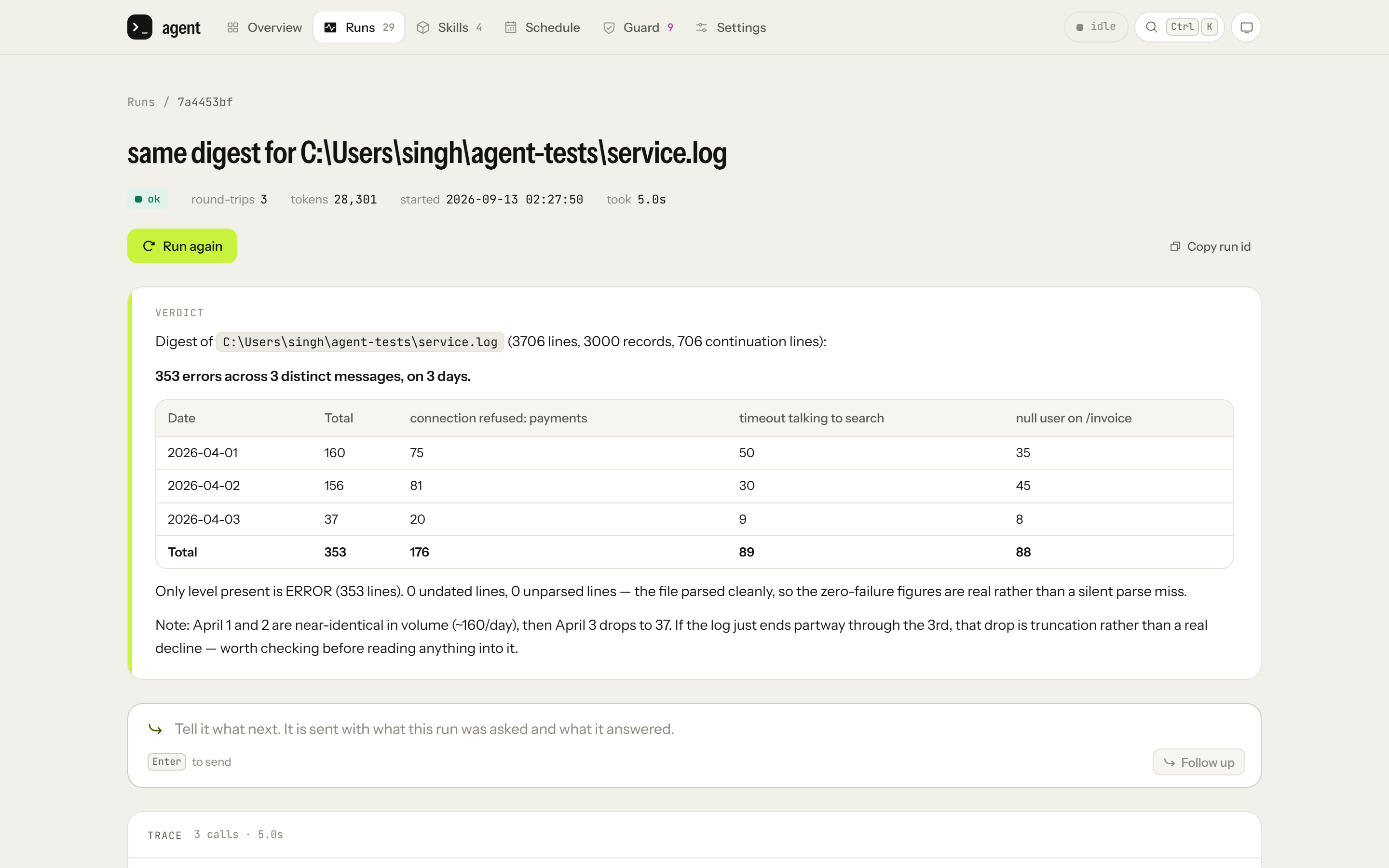
A log digest skill had passed every test. Then it got a log where each line put the level first, in brackets, with a logger name before the message. It didn't match any of the 353 error lines, returned a total of zero, and marked its own result as verified.
Nothing crashed and the output looked normal. That's what makes a wrong zero so dangerous: "no errors today" is exactly what you'd hope to hear, so nobody questions it.
So I added a requirement. A skill now has to show that it fails loudly when it gets input of the right kind that it can't read, either by throwing an error or by setting a flag the caller has to check. A test that just expects zero doesn't count. As soon as I added that check, it found the same bug in a reference skill in my own test suite, which was reporting totals for files it had never parsed.
After that change I had the agent rebuild the skill, and on that log the new version refused instead of answering: "log is unreadable: most lines are not records." Refusing is much safer than a wrong zero, but it still wasn't reading the file. The remaining bug was a timestamp pattern that only matched at the start of a line, so a date in second position was never found.
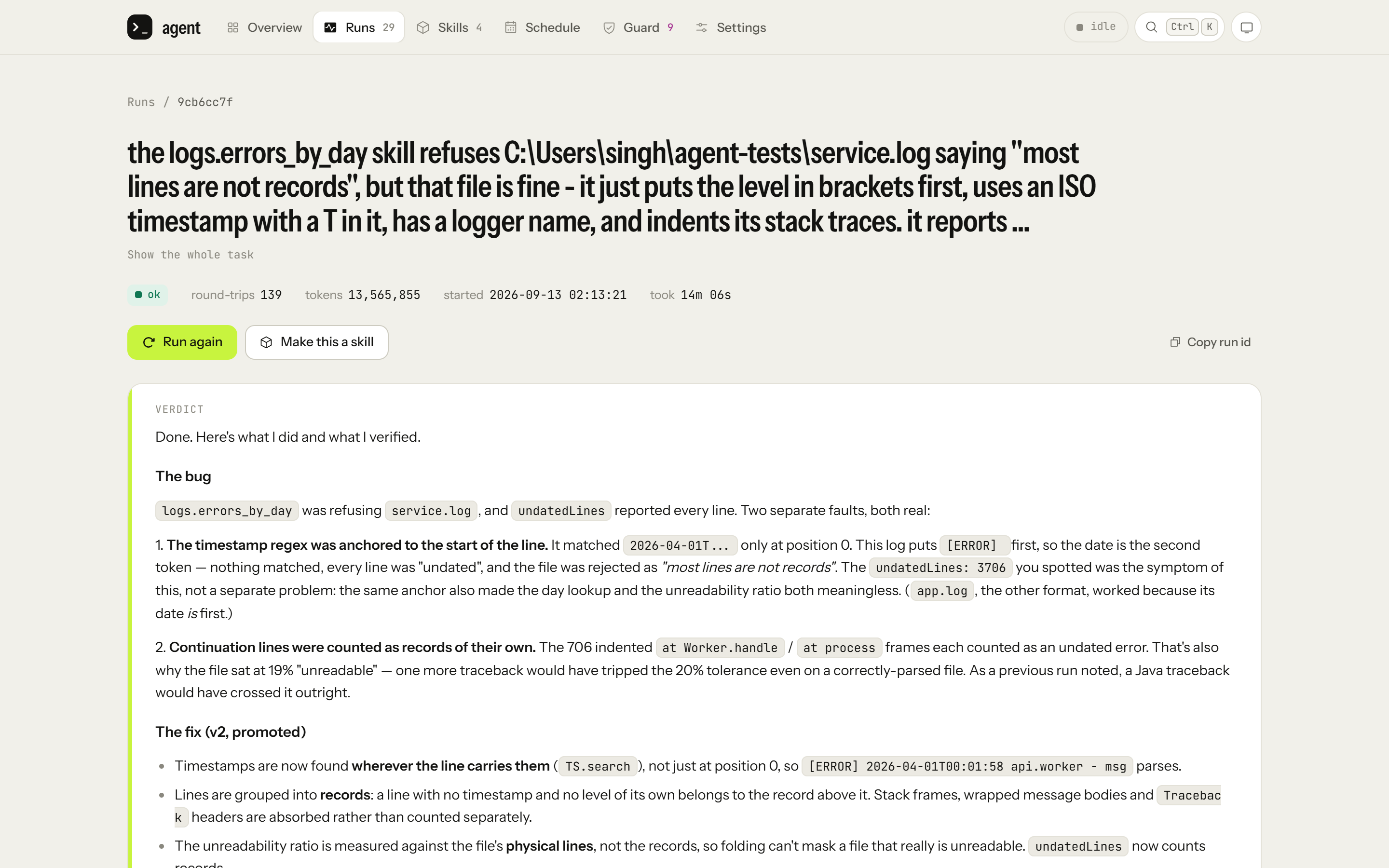
After the fix it was saved as version 2, and it now reads that log in 3 round-trips: 353 errors, split 160, 156 and 37 across the three days, which matches a separate parser I checked it against.
Bugs like this one are why the testing is split up by how predictable each part is:
The predictable parts, like the guard, path handling and the skill registry, have strict unit tests. The guard and the checks a skill must pass are written as plain decision logic, so they can be tested without touching the disk.
The model loop is tested by replaying recorded runs, so CI never calls the API.
Every saved skill brings its own tests, and those stay in the test suite for good.
The model's judgement is measured with evals, with skills turned off, so I'm measuring the model and not a lucky skill match.
A benchmark counts model calls and cost, not how fast things feel.
On top of that there's a manual test plan of ten real tasks, and every answer is checked against the files, not the agent's own report. The last time I ran it, it found three of the bugs in this post, including the wrong zero and the step limit that left two photos misnamed.
How it compares with Claude Code
Is it better than Claude Code? Hell no. Claude Code is much better at writing and changing code, it's better at one-off problems, and for most people it's the more useful tool.
Does it have some features Claude Code doesn't? Sure, a few.
First, it writes its own skills. When it solves a task that will come back, it saves the solution as a skill, and the skill has to pass the tests above before it's kept. After that, the task needs few or no round-trips: the first photo folder takes none, and the other camera's folder takes 4. Claude Code has skills too, but the model is the one that picks a skill up and carries it out, so every repeat still goes through the model. A saved skill is also fixed code, so the tenth run takes the same route as the first.
Second, it can control my Windows PC. Desktop apps are part of the core, next to commands, files and the browser, and the agent reads a window through Windows UI Automation before it reaches for the mouse. On Windows, Claude Code can only do this in its desktop app, where computer use is a research preview that's off by default. Its command-line version has computer use on macOS only.
Third, it runs on my own DeepSeek key, and that keeps it cheap. My DeepSeek bill for two days of testing, over 2,000 calls to the model, was $0.90. DeepSeek's Flash model costs $0.15 per million input tokens and $0.60 per million output tokens off-peak, and double that at peak, against $2 and $10 for Claude Sonnet 5. Input DeepSeek has already cached costs 50 times less again, which is why the agent keeps the start of every prompt the same. You can point Claude Code at DeepSeek too, through DeepSeek's Anthropic-compatible API, but Anthropic doesn't support non-Claude models, and Claude Code's browser and computer-use features need a Claude login.
I'd have put browsing in my own signed-in browser on this list too, but Claude Code already does that with its Chrome extension.
So I don't really see them as competing. Claude Code is a general agent. Mine is built for a handful of jobs that keep coming back on one machine.
Stack
TypeScript on Node, Playwright for the browser, Windows UI Automation through PowerShell for desktop apps, SQLite for memory and the audit log, React and Tailwind for the console, Vitest for tests, and DeepSeek as the model.
What's next
Noticing when a signed-in browser session has expired and telling me, instead of retrying. That's what would break first if it ran unattended for a week.
A proper command to retire a skill. Fixing and re-saving a skill already works, but taking a bad one out is still done by hand.
If you've built something like this, I'd like to hear how you decide what an agent is allowed to do on its own.
Comments
Join the discussionNo comments yet. Be the first to comment.


